
Engineering and professional learning
Technical courses in Tamil
Dub an English circuit-design lecture into Tamil. Keep “voltage” and “resistance” consistent with the diagrams students use, and check every spoken unit.


AI dubbing
Translate your video into Tamil while keeping the original speaker's voice.
Upload videoSupports MP4, MP3, WAV and SRT files up to 2 GB or 1 hour.
Hear the difference
IIT Madras lecture · Tamil edition · Switch versions, then press play to compare.
Make an English lecture or Hindi video available in Tamil without recording the speaker again. Review the Tamil dialogue in context, then export the dubbed version.
Dub an English circuit-design lecture into Tamil. Keep “voltage” and “resistance” consistent with the diagrams students use, and check every spoken unit.
Create a Tamil edition of a Hindi scene or trailer. Review respectful and familiar forms of address to preserve the relationship between characters.
Explain an English-language app in spoken Tamil. Keep menu labels such as “Settings” unchanged when viewers need to find them on screen.
Turn a machine-maintenance recording into Tamil training. Check the names of replaceable parts and the order of shutdown instructions against the demonstration.
Give a cooking or science explainer a conversational Tamil edition. Review the presenter’s phrasing rather than applying the register of a formal announcement.
Explain an application form in Tamil. Match official document names to the form and check that the narration names the correct field at each step.
Organisations using Sarvam content workflows






Keep the speaker recognisable and shape the Tamil version before you publish.
Choose voice cloning to carry the original speaker's vocal identity into the Tamil version.
Workflow illustration · Review the result in your workspace
For developers
Create Tamil versions from your application. Upload the source, track the dubbing job and retrieve the finished video and subtitles.
Python SDK · Set SARVAM_API_KEY in your server environment
import os
from pathlib import Path
from sarvamai import SarvamAI

client = SarvamAI(
    api_subscription_key=os.environ["SARVAM_API_KEY"]
)
media = Path("source-video.mp4")

job = client.dubbing.create(
    source_language_code="en-IN",
    target_language_codes=["ta-IN"],
    export_options=["video", "srt"],
    voice_cloning=True,
    num_speakers=1,
    job_name=media.name,
)
client.dubbing.upload(job.data.upload_url, media)
client.dubbing.start(job_id=job.data.job_id)
Translate your video into Tamil, review the dialogue and download your dub in Sarvam.
Add an MP4 or MOV video, or an MP3 or WAV recording, in the dubbing workspace.
Select the source language, Tamil as the target, speaker count and voice. Then create the dub.
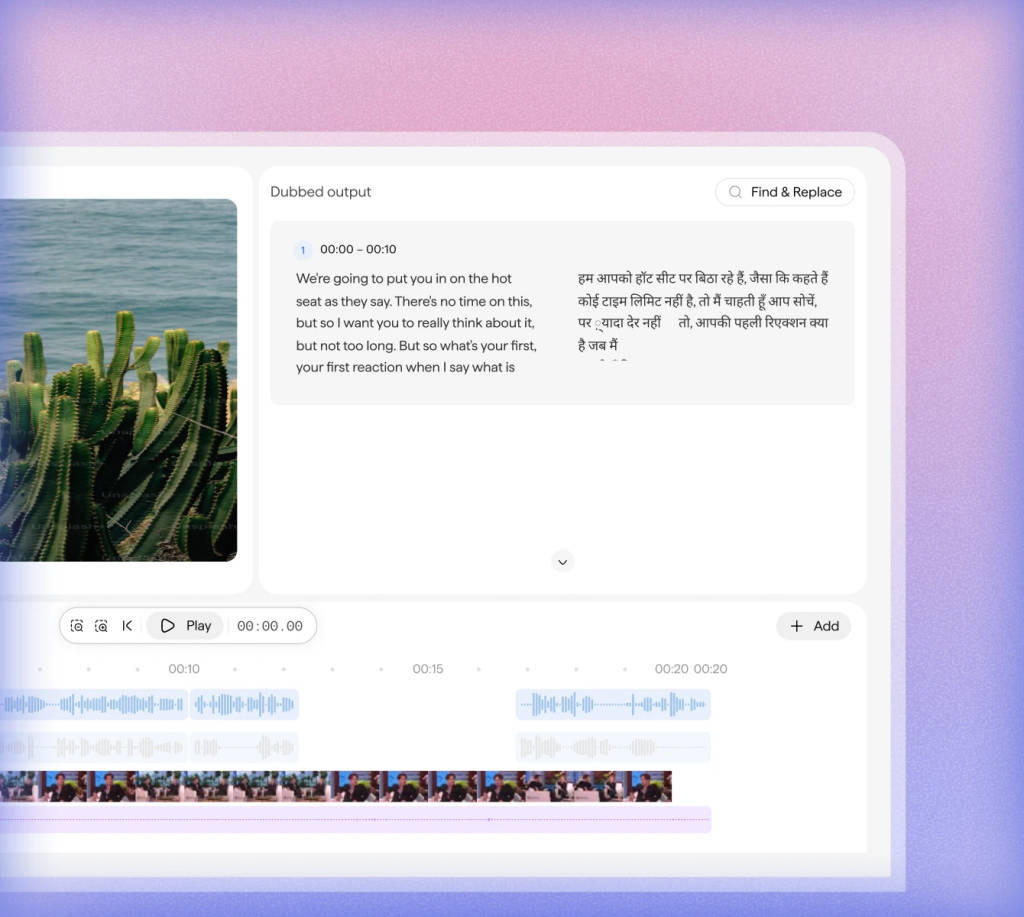
Listen to the Tamil version beside the original. Edit translated lines and regenerate any blocks that need a correction.
Set the audio mix and export the reviewed video. The API also provides separate audio and SRT subtitles.
Upload your video, choose Tamil and select the speaker's voice. Review the translated version in Sarvam's dubbing workspace.
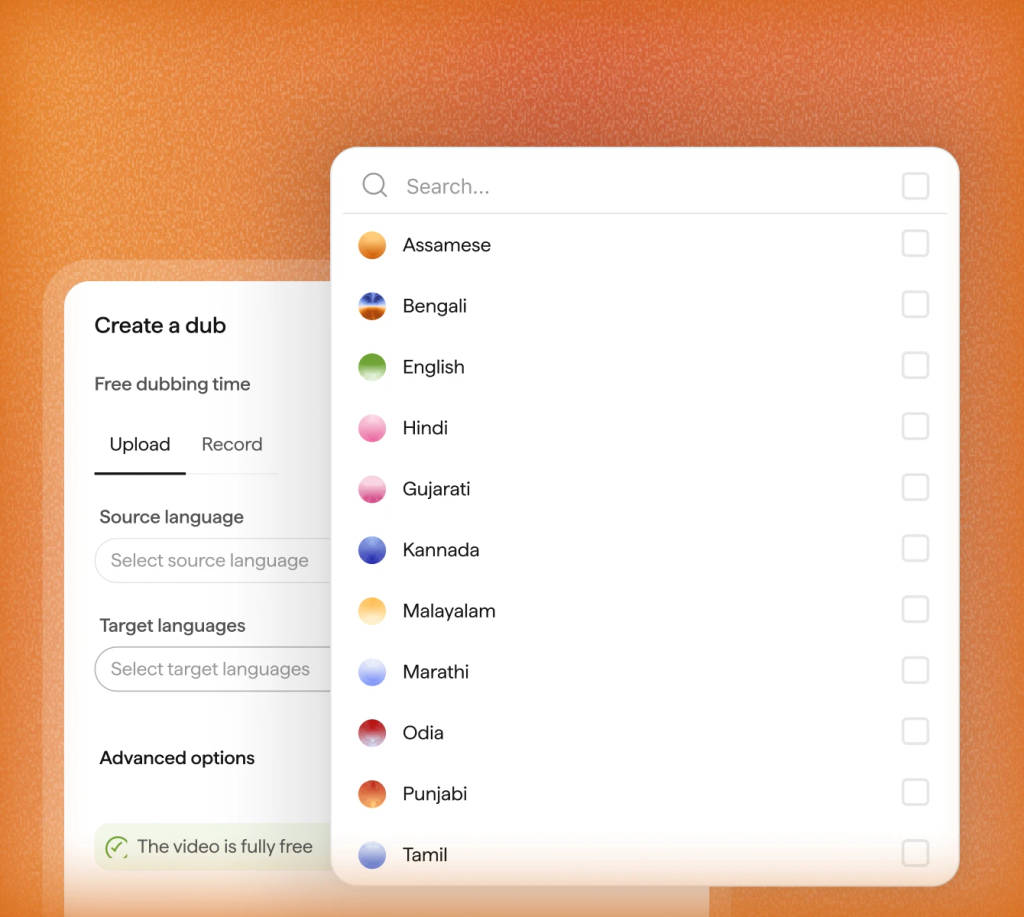
Correct a name or adjust a phrase in the Tamil script. Regenerate that block, listen again and set the audio mix before export.
Yes. Choose English as the source language and Tamil as the target in Sarvam. Review technical vocabulary and the translated script before exporting the Tamil dub.
Choose the register for your audience and content. A public announcement may need formal Tamil, while an interview may need conversational phrasing. Review the translated lines with that choice in mind.
AI dubbing translates speech from a video or audio recording into Tamil and generates a new voice track. Sarvam lets you review the translated script, edit individual lines and export the dubbed version.
The workspace accepts MP4 and MOV video, or MP3 and WAV audio, with uploads up to 2 GB. The dubbing API also accepts MKV, WebM, AVI, FLV, WMV and M4A. API size and duration limits depend on your plan.
Yes. Set the number of speakers during setup and choose voice cloning to retain their vocal identities. You can also leave the speaker count and source language on auto-detect. Review each speaker’s lines in the Tamil output, especially where voices overlap.
Yes. Edit the translated text in its timestamped block, regenerate that block’s audio and listen again. You can compare it with the original and adjust the dubbed, original and background audio levels before export.
The workspace exports the reviewed dubbed video. For separate deliverables, the dubbing API can generate video, audio and an SRT subtitle file for Tamil. Request the formats you need in export_options when creating the job.
The default Starter API rate is ₹40 per minute of source media for each target language, billed per whole second. A 5-minute video dubbed into one language costs ₹200 at that rate. Editor-enabled API jobs use a different rate. On the Sarvam platform, dubbing with the editor costs ₹80 per minute, and your first 30 minutes are free when you sign up. In the workspace, check the credit estimate before creating your dub. See the linked documentation for current pricing.
Use ta-IN as the target language code in Sarvam’s dubbing API. Create a job, upload your media, start processing and poll until completion. Then retrieve the requested exports. You can include multiple target languages in one job.
Product details checked on 21 September 2026. Workspace guide · API limits and pricing
Explore dubbing guides and examples for more Indian languages.
Pick the kind of video or recording you work with.
Create your next video in Tamil Upload your source video, choose a language and review the new version in Sarvam.
Create your next video in Tamil
Upload your source video, choose a language and review the new version in Sarvam.